Showing posts with label mobile music. Show all posts

Monday, December 20, 2010

NML App for Android Goes Live 12.27.10

We've heard that some people (clearly silly ones) think that classical music is behind the times.
We, keepers of the NML, disagree.
We think you should be able to listen to a Barbara Strozzi aria or a Mahler symphony just as easily as a Janelle Monae album. So we continue to work on making our music as mobile as possible.

You probably already know about our apps for iPhone, iPad, and iPod Touch--but Apple Resisters can now prepare to rejoice, because...


The Naxos Music Library App for Android will go live on December 27, 2010!

You will be able to listen to personal, institutional, and Naxos-created playlists as well as browse and stream the full NML on the go from your Droid!


Just search the Android Market for "Naxos Music Library" to download the free app!


Once the app is installed, it's time to make sure you have some playlists!


Institutional Users

1. Visit the NML. If you are a member of an institution like a school, university, or public library, you can visit your institution’s unique webpage (ex. http://myschool.naxosmusiclibrary.com). Ask your librarian or contact us here at Naxos if you’re not sure how to get there.

2. Navigate to the Playlists tab and sign up for a Student/Member Playlist Account. You will receive a confirmation e-mail to the e-mail address you used to sign up. Click the link in the e-mail to confirm your account.


3. The login you created for your Student/Member Playlist Account will be your login for the app as well.

4. Any playlist in your personal folder or your institution’s folder will be available, in addition to all of our Naxos-created playlists. You can also browse and stream the full NML--from New Releases and Recent Additions to any old recording from any label--anytime, anywhere.


Individual Users.

You will not need to adjust anything to use the app. Just use your normal NML login to log in to the app!


We'd like to also take a moment to give a big thank you to our developers. The app works and looks great--all that hard work has paid off. So THANK YOU!


As always, if you have any questions or need help with the app, please call or e-mail me!


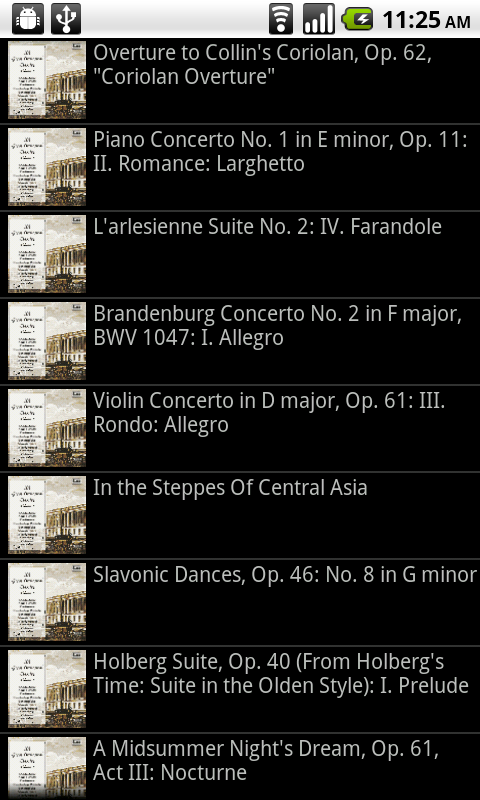
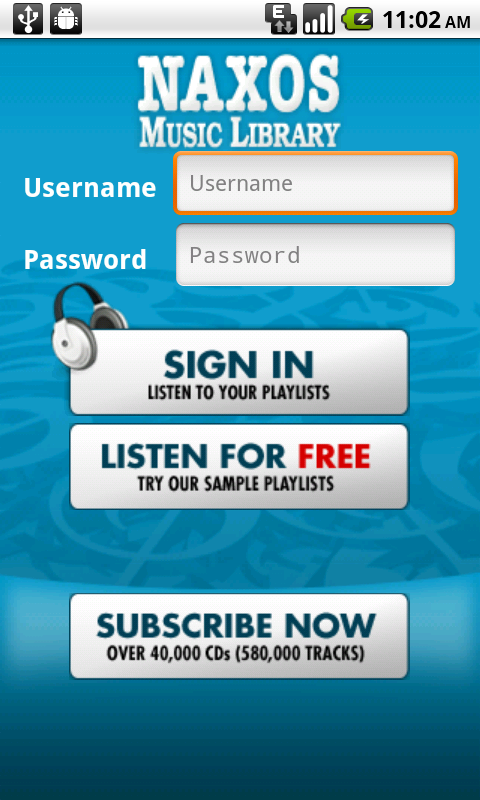
In the meantime, check out these action shots.


Pro (mobile) musica,


Mo

nmlhelp[at]naxosusa[dot]com


Thursday, September 2, 2010

Calling All App Users!

So you have downloaded an app for the NML, NMLJ or NSWL.

That's great…unless you can’t use it.

What I have heard from a lot of librarians and professors lately is that they need an easy step-by-step guide to setting the app up for first time use. Here by popular demand is just such a guide!

Creating a Personal/Student Playlist for Naxos Apps

The iPhone app was designed with our institutional users in mind, so a subscription through a university, library, school, or orchestra works. It just works little differently on an iPhone than on a computer.

For one thing, it does NOT require any work with IP authentication or the university's proxy server.

To generate a login for the NML app, you should:

1. Visit the NML page for your institution (library, university, school, orchestra, etc.) from a computer by going through the institution’s unique URL: http://example.naxosmusiclibrary.com

2. Navigate to the Playlist area and click “Sign Up” in the "Personal/Student" playlist account area.

3. Create a login on the sign up page. This login, consisting of your email address and a custom password, then becomes your login for the app.

See the tutorial below if you need help creating a personal/student playlist account.


Once you are fully signed up you will have access to the institution’s playlists and you can create your own customized playlists as well. I recommend creating a playlist on a computer before attempting to access through the app. For some reason it seems to make your first access run more smoothly.

You can also use the app to search and browse the full NML anytime, anywhere! That means you can stream music anytime, anywhere!

Happy Mobile Browsing, Music Lovers!


Pro musica,
Mo

nmlhelp@naxosusa.com


Librarians: Please feel free to share or link this on your library’s website, as well as share or embed the YouTube tutorial to help your patrons use the NML more effectively.

Tuesday, November 10, 2009

NML e-Card; Naxos at AMS 2009!

Hi Folks!

Below is an interactive e-card which you can share, and embed everywhere! The App is in the final stages of approval, and we'll be sure to let everyone know when it's ready to download from the App store!

NML iPhone e-Card! Share me!

- On the e-card page, there are embed links and different embed codes for every social media outlet available!

I've also added the latest question to the Q+A post below!

Q: Who can use the App?

A: All subscribers will be able to make use of the App; Institutions, Orchestras, and individual subscribers! Students at institutions will be able to listen to their personal playlists, as well as those created by the professors and account administrators.

If you require assistance with the "Student Playlist" functionality, please feel free to write! My e-mail address is below!


Also, if you or anyone from your institution, is attending the AMS conference in Philadelphia this weekend, be sure to stop by and say "Hi!" I'll have my iPhone on hand for you to play with!

Happy Listening,
Nick
615.482.5249
Nick@NaxosUSA.com

Wednesday, October 7, 2009

NML iPhone Updae

Hi Folks!

Here are a couple pictures from the latest NML iPhone Beta 'App.

It's important to remember that although the overall layout can, and probably will change a bit, a teaser never hurt anyone!

Access to your NML Playlists (both personal and account/professor created) anytime, anywhere is certainly a feature I am THRILLED about!


We hope to have an ETA on the app availability soon!

Enjoy!
Nick

615.465.3836
Nick@NaxosUSA.com