Showing posts with label Windows Media Player. Show all posts

Thursday, July 23, 2009

The Brave New World of "Flash Only"


Wow how time flies!

August 1st is just over a week away, and we're already excited to transition the NML to an Adobe Flash player.

At 12:01 AM on August 1st, 2009, the NML will retire it's Windows Media Player and Microsoft Silverlight servers, and offer only an Adobe Flash player.

Since October of 2008, the NML has been streaming in all 3 available formats. Many have called and written about the various ways they've been able to easily upgrade older computers.

The change from WMP to Flash is welcomed, especially by our friends and colleagues who work on Mac's. Now, the NML will "just work" on Mac's! No more Flip4Mac. No more crazy WMP Plug-In's!


We're also working extensively with the folks that maintain EZ-Proxy to ensure continuous access. Should you encounter any of those infamous Gremlins in the system, please don't hesitate to call or write to us!

EDIT:

Here's an e-mail clarifying many of the recent questions!

Hi Sam, Richard, and all,

We've actually just finished re-encoding all of the old AAC (flash) files. The issue currently / previously, is the encoding.

"FM-Quality" (20 KBP/S)- were playing through the Flash player, as "Near-CD".
"Near CD" (64 KBP/S)- were playing through the Flash player, as "CD" quality.
"CD Quality" (128 KBP/S)- were not playing through the Flash Player. These were being streamed at 192 KBP/S.

Just recently we here in Nashville received more files to test from our colleagues doing to actual encoding, and have finally sorted everything out. In fact, I'll be working with them later this evening on the final details, so that once August 1 comes around, there won't be any Sound Quality issues.

*EZProxy*

A few people have also written in regarding EZProxy. We've been rewriting all of our back end code to work with EZProxy. Also, the folks at EZProxy have adjusted a few settings regarding how the NML works through the servers.

Here's a bit from an e-mail with Chris Zager, a technical designer at EZProxy:

"I can alter EZProxy in any way required to hand the user off to your service. This would eliminate the proxying component, and uses EZproxy just for the authentication component. From my perspective, this is ideal as it eliminates any of these side-effects and also reduces network bandwidth requirements since the media does not have to pass through the university network."


Please keep the questions and comments coming! They are crucial to ensuring that everyone is happy!


Stay Classy!
Nick

Nick NaxosUSA.com
615.465.3836

Friday, June 26, 2009

Media Player: Parsing Error & Silverlight Error

Over the past 3 days, I've gotten a couple different complaints about the NML's media player. The error everyone is getting looks like this: Then, it appears that once you get that error in whatever web browser you are using, the other 2 players (Windows Media Player and Flash) no longer work!

Thankfully, there is a really easy solution. All you have to do is clear cookies and clear cache from your web browser. If you have any trouble figuring out how to do that either check out the two links about cookies/cache or send me an email and I'll walk you through it!

tvick at naxosusa dot com
Reblog this post [with Zemanta]

Tuesday, June 23, 2009

Getting an Invalid Argument Error on the NML?

I've received a couple of different emails about the streaming.asp error some students receive when trying to stream music from the NML. If you've ever gotten the error, it should look like this:

As you can see, you'll get an Invalid argument message, which will then continue to display when you try to stream music using Flash, Silverlight or Windows Media Player until you adjust your settings in either Internet Explorer, Safari or Firefox. Now, the key here is not to panic. I know website errors make my body temperature rise and my palms start sweating, but I promise there is no need for such a reaction anymore!

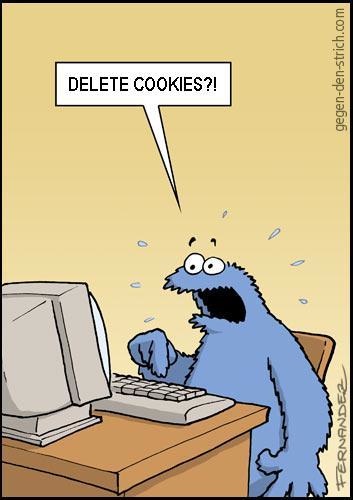
The key is to clear cookies. Yes - this will stress some of you out even more than the error message, but in order to get the NML to work after you receive that error message, you must delete cookies! (Picture courtesy of Scott Beale / Laughing Squid)

According to Ask Leo, cookies are simply a way for websites to remember who you are the next time you visit. He sites Amazon.com as a great example:
When you visit a site like Amazon.com and log in, Amazon might place a cookie on your machine that contains your account name, and the fact that you're logged in. When you come back a day later Amazon.com picks up the cookie and sees who you are and that you had successfully logged in the day before.

So if you rely on cookies to remember who you are for websites, make sure you have a record before you delete cookies! The best way I've found is to keep either a log on a table in Word, Excel, or just keep a running list at your desk. As always, if you have any questions, be sure and ask!
Reblog this post [with Zemanta]

Friday, June 19, 2009

Are Music Subscription Services Working?

On Wednesday, John Bailey (Program Director over at KBIA) posted a very thoughtful blog about music subscription services. We've all known about the trials and tribulations of Napster, Rhapsody, and the many other attempts to direct music lovers to subscription-based music. There isn't a ton of inspiring information on the success of any of those models, so hopefully I can shed some light on what I think makes our model successful.

We have a very focused purpose which is to educate classical music students and aficionados about the history of music. We don't have any limitations on how much you can stream, and the only way you can increase the cost is by getting a higher-quality stream. Plus, we just upgraded to a Flash player, which streams at 96kbps (Near CD-Quality) and 192kbps (CD Quality), instead of our previous rates with Windows Media Player (64kpbs and 128kbps).

Clearly, classical music remains an important part of a music student's education and is used as background music in countless movies, video games, commercials, TV Shows, websites, etc. A subscription service is the perfect way to add to anyone's classical music collection, especially since you can take it with you wherever you go in the world with an Internet connection. You don't have to overload your computer or iPod with hundreds of megabytes, which is a MAJOR problem for me. Plus, it's so cheap! It's like buying 1 or 2 new CDs every month, even though we add roughly 500 tracks a month (if not more) from a ton of labels.

Are you using a music subscription service and which is your favorite? Better yet - if you do subscribe, what have you discovered that you'd otherwise have no idea about?
Reblog this post [with Zemanta]